
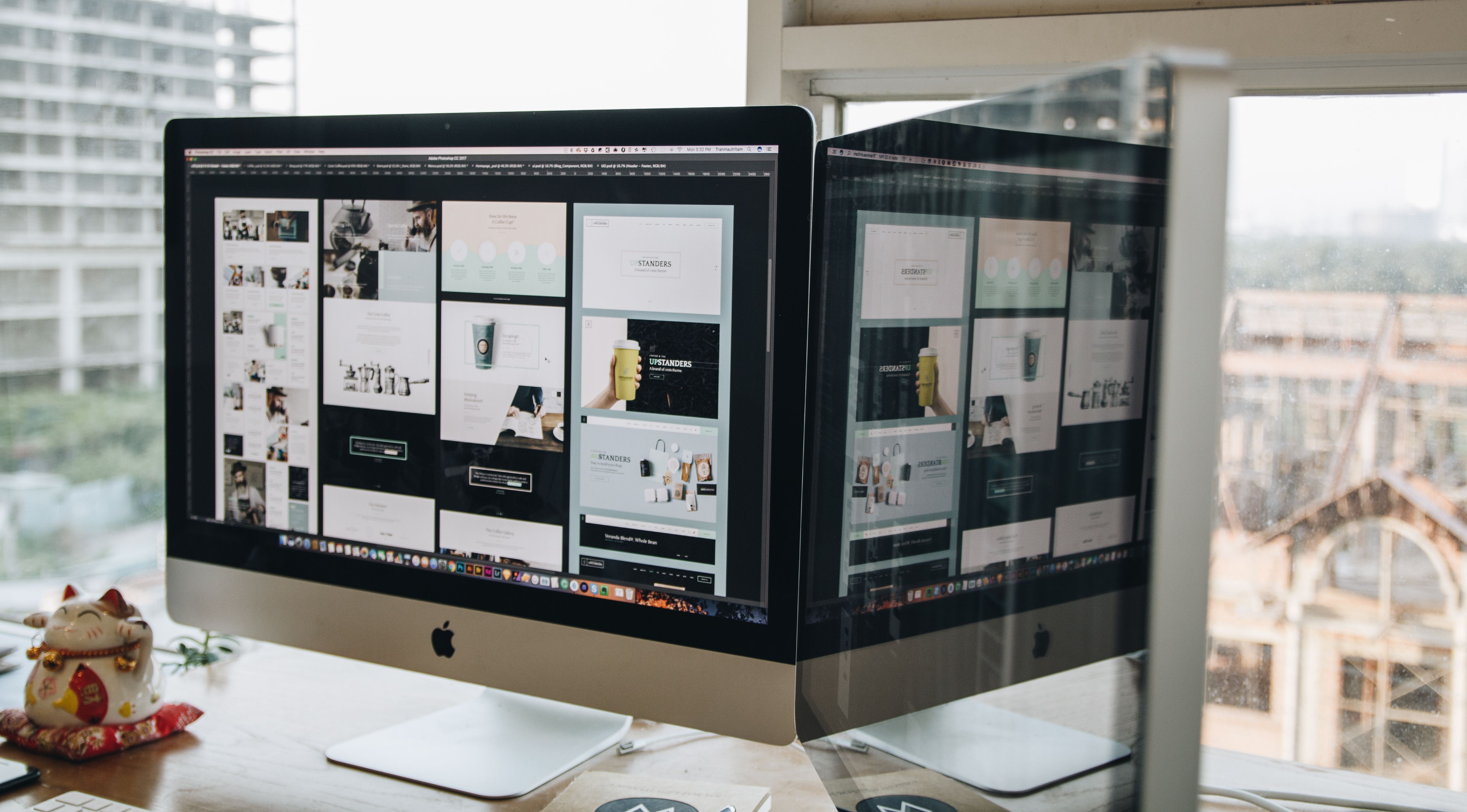
Custom web design plays a major role in how well a website performs in search, how easily people use it, and how clearly a business communicates its value. When design is planned with SEO in mind, a site can become easier to crawl, simpler to navigate, faster to load, and more likely to support meaningful actions such as enquiries, sign-ups, or purchases.
That does not mean design alone will improve rankings or conversions. Results depend on many factors, including content quality, search intent, technical setup, trust signals, traffic source, and ongoing testing. The goal is to build a website that supports both users and search engines through strong structure, mobile usability, accessibility, and a clear page experience.
What SEO-friendly custom web design really means
SEO-friendly web design is the process of creating a website that looks professional and works well for visitors while also being easy for search engines to understand. In practice, that means planning pages around clear topics, building a logical site structure, and making content easy to scan on all screen sizes.
Custom design is especially useful because it can be tailored to business goals rather than forcing a company into a rigid template. A service business may need strong local trust signals and enquiry forms. An ecommerce brand may need product filters, category pages, and clear checkout paths. A consultant or blogger may need content-led layouts that support authority and readability.
The most effective custom websites are designed around user intent. People should be able to find the right page quickly, understand what is being offered, and move through the site without confusion.
Build a clear website structure before styling the pages
Good website design starts with structure, not colour choices. Search engines and users both benefit when the site is organised into sensible sections, such as home, about, services, product categories, individual products, blog resources, and contact pages.
A clean structure helps internal linking too. If a service page links naturally to a relevant case study, FAQ, or related service, it gives visitors more context and helps search engines understand relationships between pages. It also reduces the risk of burying important content too deeply within the site.
For business websites, the navigation should be simple and predictable. Avoid cluttering the menu with too many items. For ecommerce sites, group products into logical categories and make filters easy to use. For content-heavy sites, make sure key guides and landing pages are accessible from both the main menu and contextual links.
If you are reviewing an existing site, a free website SEO audit can help identify structural issues that affect crawlability, internal linking, and page clarity.
Design for mobile-first usability and responsive layouts
Mobile-first design is no longer optional. Many users will first see a website on a phone, so layouts must work well on smaller screens before anything else. Responsive web design should adapt text, images, menus, forms, and buttons so that the experience feels natural on any device.
Mobile usability affects both SEO and conversions. Search engines evaluate whether a page is easy to use on mobile, while visitors expect quick loading, readable text, and tap-friendly navigation. If a button is too close to another element, a form is hard to complete, or the text is too small, users may leave before taking action.
Practical mobile-first design choices include sticky but unobtrusive navigation, compact headings, enough spacing between interactive elements, and concise content sections that can be scanned easily. On service pages and landing pages, the key message and main call to action should appear early without feeling pushy.
It is also worth checking mobile layouts in the browser, not just in a design file. A layout that looks polished on desktop can still fail on a real phone if it loads slowly or becomes difficult to read.
Use UX, UI, and content layout to improve clarity
User experience and user interface design affect how quickly someone understands your website. Good UX reduces friction. Good UI makes actions obvious. Together, they support clarity, trust, and engagement.
Content layout matters because people rarely read a page from top to bottom word for word. They scan headings, summaries, lists, and visual cues. That means the most important information should be placed where it is easiest to see. Use short paragraphs, clear headings, and enough white space to avoid overwhelming the visitor.
For service pages, lead with the problem you solve, then explain how you work, what the service includes, and how to get in touch. For product pages, prioritise product benefits, specifications, images, pricing clarity, and delivery or returns information. For landing pages, reduce distractions and keep the page focused on one primary action.
Design should support trust as well. Consistent typography, legible contrast, professional imagery, visible contact details, and honest messaging all contribute to a better experience. If your website needs a layout built around clarity and performance, Backlink Works focuses on practical digital visibility rather than decorative design alone.
Optimise speed and Core Web Vitals without harming design
Website speed is both a design issue and a technical issue. Large images, heavy animations, too many scripts, and poorly built templates can slow down pages and create a frustrating experience. Core Web Vitals are useful indicators because they focus on loading, responsiveness, and visual stability.
Design choices should support performance from the start. Use compressed images, avoid unnecessary sliders, and keep page sections efficient. Fonts should be readable without becoming excessive. Video should be used carefully, especially on mobile. A simple layout can often perform better than a visually busy one without sacrificing quality.
WordPress website design often benefits from this approach. The platform is flexible, but performance can suffer if too many plugins or page-builder elements are added without planning. Choose a lightweight theme, keep plugins minimal, and test the impact of each design feature.
To monitor page experience and performance, Google’s PageSpeed Insights is a useful place to review loading and usability issues.
Create conversion-focused pages for real business goals
Conversion-focused design does not mean using aggressive pop-ups or misleading buttons. It means making the next step clear and easy for the right visitor. Whether the goal is an enquiry, booking, quote request, newsletter sign-up, or purchase, the page should guide users with logical content and visible trust signals.
Landing pages work best when they match the user’s intent. Someone clicking an ad for a specific service should not land on a generic homepage if a dedicated service page would answer their question more directly. Likewise, product pages should help buyers compare options, understand features, and feel confident about the purchase.
Helpful design elements include clear calls to action, short forms, testimonials where genuine and relevant, FAQs, service area details, and transparent pricing guidance where possible. But conversion outcomes still depend on traffic quality, the strength of the offer, the relevance of the message, and the trust built across the site.
Best practices checklist for SEO-friendly custom web design
Before launching or redesigning a site, review the basics below:
- Keep navigation simple and easy to follow.
- Use responsive layouts that work well on mobile and desktop.
- Place important content near the top of each page.
- Use headings to organise content logically.
- Make buttons, forms, and links easy to tap or click.
- Compress images and avoid unnecessary visual clutter.
- Link related pages together using clear anchor text.
- Check that pages load quickly and remain stable while loading.
- Design around user intent, not just appearance.
- Test key pages with real users, analytics, and search tools.
For technical checks, tools such as MDN Web Docs can also help teams understand the fundamentals behind HTML, CSS, and accessible design choices.
Conclusion
Custom web design is most effective when it supports SEO, usability, performance, and business goals at the same time. A well-designed website is easy to navigate, quick to load, readable on mobile, and organised in a way that helps users and search engines understand the content.
Whether you are building a business website, ecommerce store, service page, or WordPress site, the best approach is to design for clarity first. Focus on structure, layout, speed, accessibility, and user intent. From there, testing and refinement can help improve the experience over time without relying on shortcuts or misleading tactics.
Frequently Asked Questions
What makes a website design SEO-friendly?
An SEO-friendly design is easy to crawl, mobile responsive, fast, accessible, and structured so that content is simple to understand.
Does custom web design help conversions?
It can support conversions by improving clarity, trust, and user flow, but results depend on the offer, traffic quality, and testing.
Is mobile-first design important for all websites?
Yes. Most websites need strong mobile usability because many visitors browse on phones first, and search engines evaluate the mobile experience.
Should WordPress sites be designed differently for SEO?
They should be planned carefully because themes, plugins, and page builders can affect speed, structure, and usability if they are not managed well.
- Sponsored Ad -





