
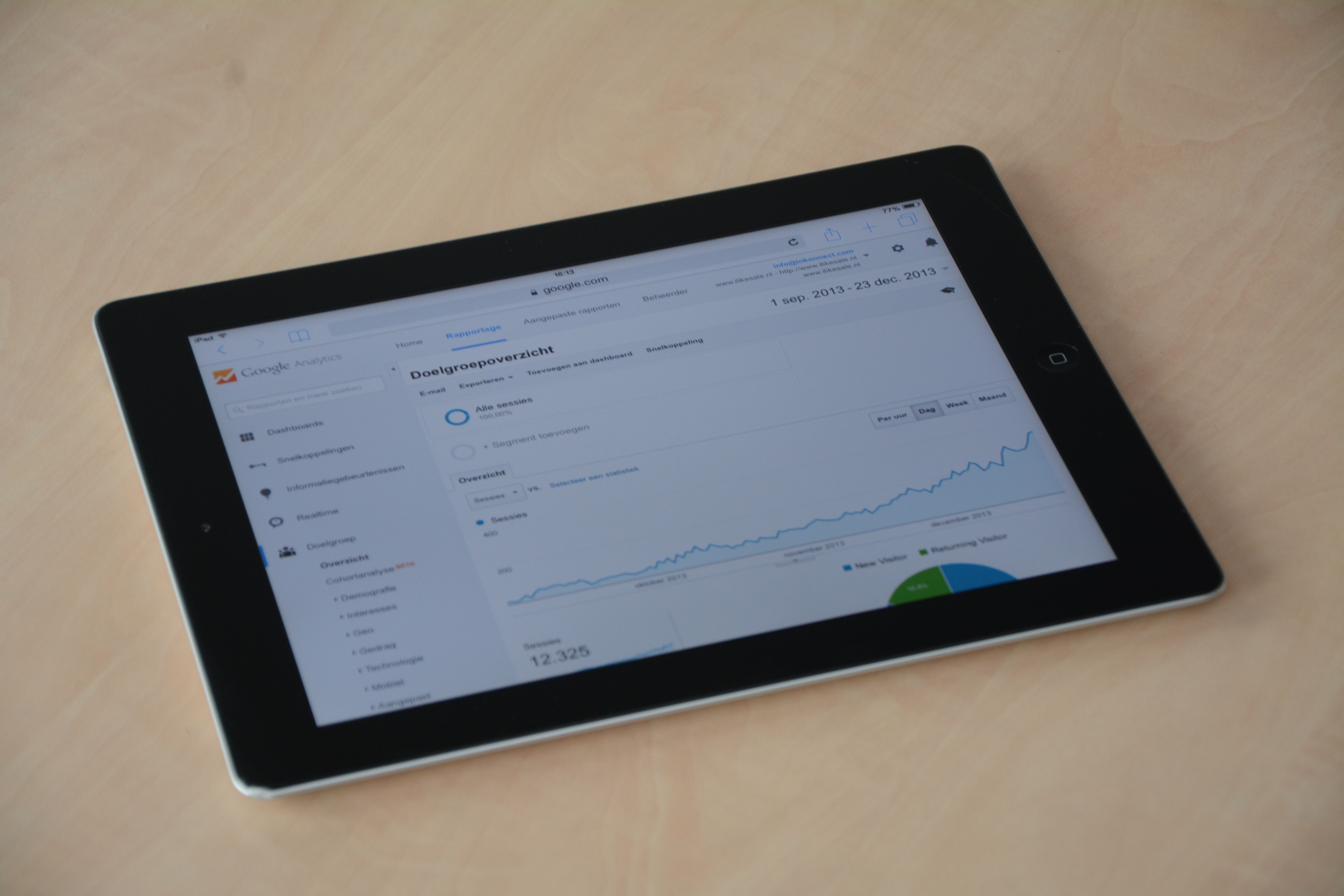
Core Web Vitals and Search Console data continue to shape how website owners understand search visibility. While neither is a simple ranking shortcut, both are important signals for measuring how well a site performs in search and how usable it feels for real visitors.
For SEO teams, the value is not just in chasing better scores. It is in using performance and Search Console insights together to find where organic traffic may be limited by speed, usability, crawlability, or content that does not fully match search intent.
Why Core Web Vitals still matter for SEO
Core Web Vitals are Google’s user experience metrics for loading, responsiveness, and visual stability. In practical terms, they help website owners understand whether a page feels fast, interactive, and stable when someone lands on it from search.
These metrics do not work in isolation. A page with strong content can still struggle if it loads slowly or shifts around while rendering. That can affect engagement, reduce trust, and make it harder for search engines to see the page as a good result for users.
For SEO, the main point is that performance supports visibility. A better user experience can improve the chances that visitors stay, read, click, and convert. It can also make large sites easier to crawl and render efficiently.
What Search Console updates tell site owners
Google Search Console remains one of the most useful free SEO tools for understanding search performance. It shows clicks, impressions, average position, indexing status, page experience signals, and technical issues that may affect visibility.
When Search Console reports change, it is worth reading them as diagnostics rather than as isolated alerts. A drop in impressions may point to weaker keyword coverage, changing search demand, or pages being deindexed. A rise in clicks with stable impressions may suggest stronger snippets or better query matching.
For a practical starting point, many site owners review their data alongside the Search Console interface and then compare trends across pages, queries, devices, and countries.
The SEO impact of performance and indexing signals
Core Web Vitals and Search Console updates often overlap in the same real-world problems. For example, a page that renders slowly may also be crawled less efficiently, especially on large sites with many URLs. Similarly, pages that are hard for users to interact with may show weaker engagement signals over time.
Search visibility can also shift when Google changes how it evaluates content quality or relevance. If a site relies on thin pages, duplicated templates, or outdated copy, technical improvements alone will not solve the issue. Likewise, strong content can underperform if indexing problems prevent it from being properly discovered.
This is why SEO now needs a broader view. Technical SEO, content quality, internal linking, and site architecture all work together. Website owners should treat Core Web Vitals as part of a wider search experience strategy, not as a standalone task.
What to check in Search Console first
When organic performance changes, the first step is to identify whether the issue is technical, content-related, or demand-led. Search Console can help narrow this down quickly.
Start with the Performance report to see which pages, queries, and devices have changed. Then review indexing reports to confirm whether important URLs are being crawled and indexed correctly. If a page is receiving impressions but few clicks, the issue may be the title tag, meta description, or search intent match rather than rankings alone.
It also helps to compare mobile and desktop behaviour. Many Core Web Vitals issues show up more clearly on mobile devices, where network speed and layout stability matter more.
How this affects content, local SEO, and ecommerce
Content publishers should focus on pages that are meant to win discovery in search. If articles load slowly or jump around while reading, users may bounce before they engage with the content. Clear structure, useful headings, and efficient media loading all support stronger performance.
Local SEO websites should pay close attention to mobile usability, location page quality, and crawlable business information. A fast, stable site makes it easier for local customers to contact a business, check opening hours, or view service details.
Ecommerce sites often face the most technical pressure because of filters, large image files, JavaScript-heavy layouts, and many product URLs. If Search Console shows indexing waste or poor page performance, it may be a sign to simplify templates, compress assets, or improve internal linking to key category and product pages.
For sites using WordPress, theme choice, plugin bloat, and image handling can all affect Core Web Vitals. A well-built WordPress stack should support fast rendering, clean code, and stable layouts without unnecessary scripts.
Practical actions for SEO teams and website owners
The most useful response to performance and Search Console signals is a structured audit. Focus first on pages that matter most for traffic, leads, or revenue.
- Review the largest landing pages for loading issues, layout shifts, and interaction delays.
- Check whether important URLs are indexed, canonicalised correctly, and linked internally.
- Compare high-impression pages with low click-through rates to improve snippet quality.
- Test templates on mobile devices, especially for ecommerce and local service pages.
- Remove unnecessary scripts, heavy media, and layout elements that slow rendering.
If you want a broader SEO check that covers technical and content issues together, a free website SEO audit can help highlight priorities without guesswork.
Useful performance testing should also include lab data. Tools such as PageSpeed Insights help explain page speed problems in a more detailed way, especially when combined with Search Console trends.
Conclusion
Core Web Vitals and Search Console updates are best understood as part of the same SEO picture. One shows how well a page performs for users; the other shows how search engines are seeing and interpreting that page. Together, they help website owners make better decisions about content, performance, and technical SEO.
The main takeaway is simple: do not chase metrics in isolation. Use Search Console to spot visibility changes, then use Core Web Vitals and page performance checks to find the causes. That approach is more practical, more sustainable, and more useful for long-term search growth. Backlink Works Insights covers these developments to help marketers keep up with the changing search landscape.
Frequently Asked Questions
Do Core Web Vitals directly control rankings?
They are not the only ranking factor, but they are part of Google’s page experience signals and can support better search performance when the overall page is strong.
What should I do if Search Console impressions drop?
Check whether the drop affects one page, one section, or the whole site. Then review indexing, query changes, and content relevance before making technical changes.
How often should I review Core Web Vitals?
It is sensible to check them regularly, especially after theme changes, plugin updates, content launches, or major site redesigns.
Can improving speed alone improve SEO?
Speed improvements help, but they work best alongside strong content, good internal linking, clean indexing, and pages that match search intent.
- Sponsored Ad -





