
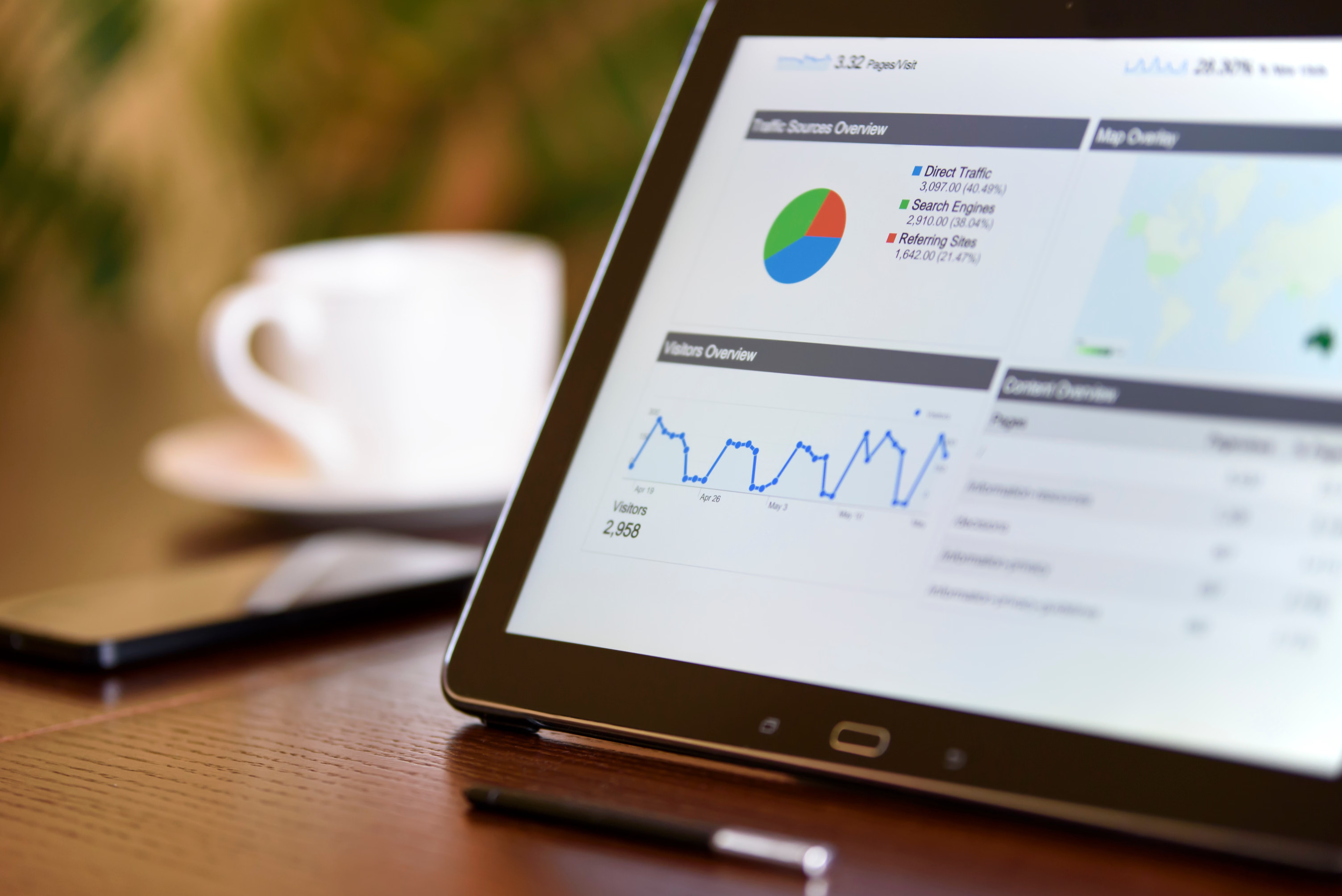
Google Search Console remains one of the most important sources of first-party SEO reporting, but the way site owners interpret its data is changing. As search results become more complex, reporting now needs to reflect not just clicks and rankings, but also crawling, indexing, content visibility, and how pages are surfaced in richer search experiences.
For SEO teams, the key question is no longer whether Search Console is useful, but how to read its signals alongside wider search changes. That includes AI-assisted search behaviour, stronger quality signals, technical performance issues, and the growing gap between impressions, clicks, and actual business outcomes.
Why Search Console reporting matters more in modern SEO
Search Console is still the closest many website owners get to Google’s view of their site. It shows how pages are discovered, which queries trigger visibility, and where technical issues may be holding back performance. In an environment where SERPs can change quickly, that visibility is essential for spotting patterns that analytics alone may miss.
It is also important because organic search traffic is being split across more result types. A page may earn impressions without the same level of clicks as before, particularly when snippets, AI-driven summaries, local packs, shopping results, or other enhanced features change user behaviour. Reporting therefore needs to focus on visibility quality, not just total traffic.
Website owners should treat Search Console as a diagnostic tool. It will not explain everything, but it can help identify whether a decline is caused by crawling, indexing, content relevance, page experience, or changing search intent.
Key reporting changes SEO teams should pay attention to
When people talk about Search Console updates, they often mean a mix of product refinements, reporting changes, and new expectations around how data should be used. The most important shift is that SEO reporting is becoming more segmented. One homepage trend, one brand query change, or one indexing issue can affect overall performance in very different ways.
Queries, pages, and search appearance now need to be read together
Looking at query data in isolation can be misleading. A page may appear for a broader set of terms, but if the search appearance is weak or the result is not compelling, clicks may lag behind impressions. Likewise, a page may rank for many informational queries while failing to convert because it does not match intent well enough.
SEO teams should compare query reports with page-level data and the search appearance filters where relevant. This helps separate genuine visibility gains from low-quality impressions that do not drive engagement.
Indexing reports are more valuable for technical SEO
Index coverage, canonical selection, and crawl-related issues remain central to reporting. For WordPress sites, ecommerce platforms, and larger content libraries, small technical errors can create big visibility gaps. Misconfigured noindex tags, duplicate category pages, poor faceted navigation, and weak internal linking can all reduce the value of Search Console data.
Technical teams should review whether important pages are being crawled, indexed, and selected as canonical in the way they expect. If the report shows large numbers of excluded or duplicate URLs, that is usually a signal to investigate site architecture rather than blame the algorithm.
Performance reporting must account for changing SERP behaviour
Average position, impressions, and clicks are still useful, but they should not be treated as standalone proof of success or failure. A page can lose clicks even when visibility appears stable if the search results page now offers more direct answers, richer results, or alternative destinations.
This is especially relevant for local SEO and ecommerce SEO. Local businesses may see more movement in map-related visibility than standard web results, while product pages may compete with shopping modules and comparison content. Reporting should reflect these differences instead of assuming every query behaves the same way.
How AI search and richer results affect SEO reporting
AI-assisted search experiences are changing how users scan results and decide where to click. That does not mean traditional SEO has disappeared, but it does mean reporting needs to be more nuanced. A page may still help inform a search journey even if it does not receive the final click.
For content teams, this means optimising for clarity, structure, and topical depth. Google continues to reward pages that answer user intent clearly and demonstrate useful, well-organised information. For reporting, that means looking beyond traffic volume and asking whether the content is being surfaced for the right audience at the right stage of the journey.
It is also worth comparing Search Console data with broader trend tools and search demand sources. Google Trends can help show whether a query is gaining or losing interest, while Search Console shows how your site is performing against that demand. Used together, they create a clearer picture of content opportunity.
For teams wanting a broader site health view, a free website SEO audit can help identify whether reporting issues are being caused by technical problems, content gaps, or indexing limitations.
What website owners should check in Search Console now
A practical reporting workflow is more useful than chasing every minor fluctuation. Start by checking whether traffic changes affect a single section of the site or the entire domain. Then separate branded queries from non-branded queries, since brand demand can mask weaknesses in broader SEO visibility.
Next, review page indexing and compare it with your most important templates. If blog posts are indexed but product pages are not, or if local landing pages are being crawled without ranking well, the issue is usually structural. Internal links, content quality, page titles, and canonical tags should be reviewed together.
Website performance also matters. Slow, unstable pages may not always show as a direct Search Console issue, but they can still affect user engagement and search outcomes. Tools such as PageSpeed Insights are useful when technical reporting suggests that speed or responsiveness may be contributing to weaker visibility.
SEO reporting for agencies, ecommerce, and WordPress sites
Agencies often need to turn Search Console data into client-friendly reporting. The best reports connect visibility changes to business priorities: product category pages, lead-generation landing pages, location pages, or high-value content clusters. That makes it easier to explain why a change matters, without overstating causation.
Ecommerce businesses should pay close attention to indexation quality, duplicate content signals, and search appearance for category and product pages. In WordPress environments, plugin conflicts, theme changes, and automated taxonomy pages can create reporting noise. Clean site structure and sensible plugin choices usually make Search Console data easier to trust.
If link authority and content depth are part of your wider strategy, Backlink Works can support education around site growth, but the core reporting discipline still comes from checking the right signals and understanding what each one means.
Key takeaways for 2026 SEO reporting
- Use Search Console as a visibility and diagnostics tool, not just a traffic report.
- Read query, page, and search appearance data together for better context.
- Review indexing and canonicalisation before assuming ranking changes are the main problem.
- Separate branded from non-branded performance in every report.
- Account for AI-driven search behaviour, richer SERPs, and changing user intent.
Conclusion
Google Search Console updates and reporting changes matter because SEO is no longer measured by a single metric. Website owners need a clearer view of how pages are discovered, how they are indexed, and how search behaviour is changing across content, local, ecommerce, and technical SEO.
The strongest reporting approach is simple: track the right data, compare it with search intent and site structure, and act on the patterns that matter most. That gives teams a better foundation for improving visibility without relying on assumptions or short-term noise.
Frequently Asked Questions
What is the main value of Google Search Console for SEO reporting?
It shows how Google discovers, crawls, indexes, and surfaces your pages in search, which makes it essential for diagnosing visibility issues.
Should I trust average position as my main ranking metric?
No. It is useful, but it should be read alongside clicks, impressions, query intent, and page-level performance.
Why do impressions rise while clicks stay flat?
This often happens when search results become more crowded, snippets change, or user intent shifts without a matching increase in clicks.
How often should I review Search Console data?
Weekly checks are useful for spotting technical issues, while monthly reviews work well for broader SEO reporting and trend analysis.
- Sponsored Ad -





