
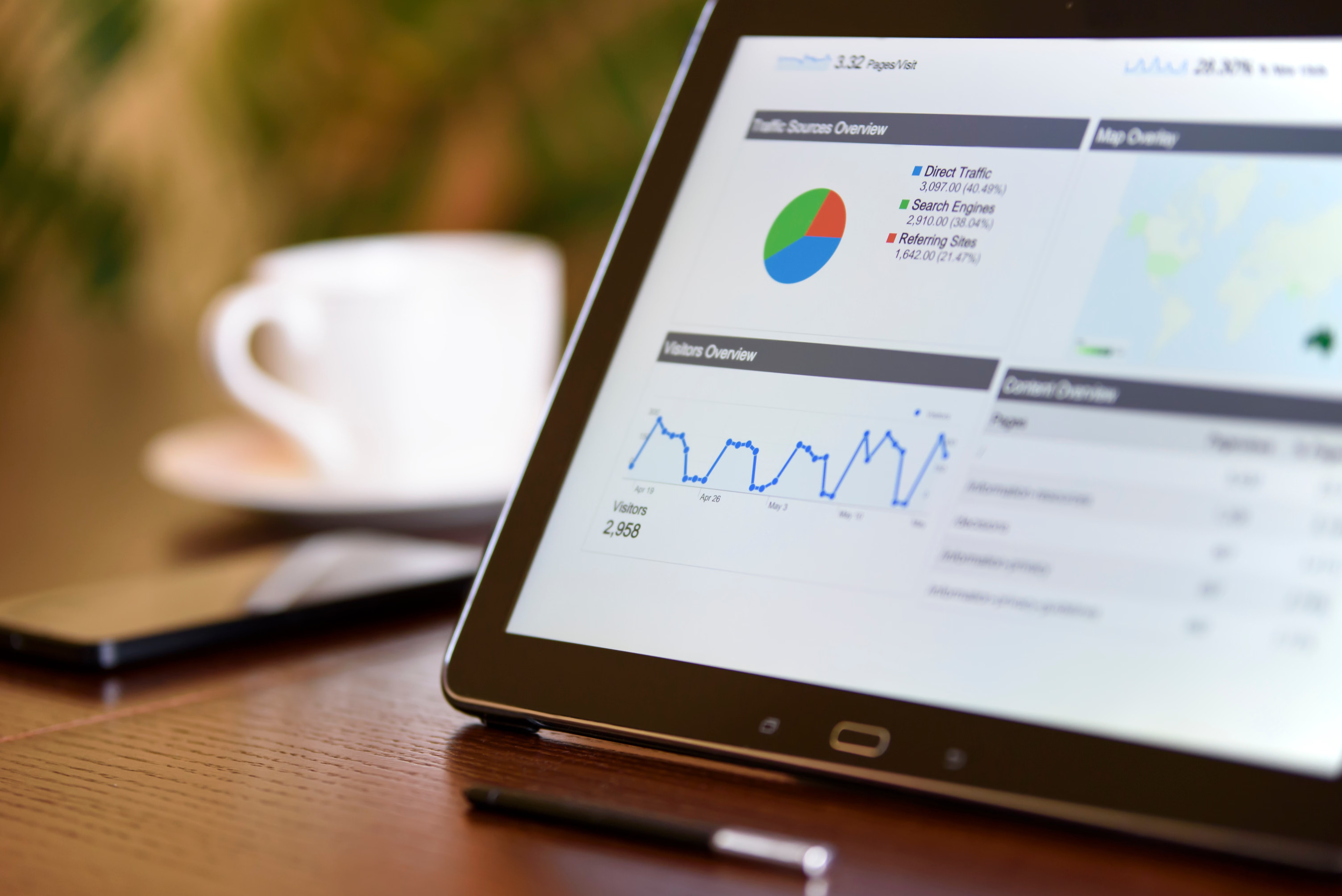
White label SEO reporting tools help agencies, consultants, freelancers and in-house marketers present SEO results under their own brand. Used well, they turn raw data from tools such as Google Search Console, Google Analytics 4, keyword trackers and crawler platforms into clear client reports that explain what changed, what matters and what to do next.
The main value is not just presentation. A good reporting workflow saves time, keeps reports consistent and makes it easier to show progress across technical SEO, content optimisation, local visibility, ecommerce performance and backlink activity. The tool still needs the right inputs, however, so the report reflects actual SEO work rather than surface-level numbers.
What White Label SEO Reporting Tools Actually Do
White label reporting tools are platforms that let you generate SEO reports with your own logo, colours and domain branding. Many can pull data from multiple sources and combine it into a single client-facing document or dashboard. That can include rankings, organic traffic, index coverage, site health, backlinks, page speed and selected competitor data.
These tools are especially useful when you manage several websites or need a repeatable reporting process. Instead of manually copying screenshots from free SEO tools or building spreadsheets from scratch, you can standardise how information is collected and presented. That said, the report is only as useful as the metrics you choose and the interpretation you add.
What to Include in a Client SEO Report
Start with the questions your client actually cares about. A useful report should connect technical SEO and content work to business goals without overloading the reader.
Common sections include:
- Organic traffic trends from Google Analytics 4
- Search impressions, clicks and index coverage from Google Search Console
- Keyword visibility and rank tracking movements
- Backlink profile changes from backlink checker tools
- Technical issues from SEO audit tools or website crawler tools
- Core Web Vitals or page speed checks from tools such as PageSpeed Insights
- Content opportunities and pages that need optimisation
If you want a structured starting point for a site review before reporting, a free website SEO audit can be a practical first step. It helps you identify which issues deserve attention before you build a branded report around them.
Build Reports Around the Right SEO Data
One of the most common mistakes is mixing too many metrics into one report. A busy dashboard can look impressive, but it may not help clients make decisions. Choose metrics that match the site type and campaign stage.
For example, a local business may need map visibility, location page performance and review-related signals. An ecommerce store may need category page rankings, product page indexing, structured data checks and landing page conversion trends. A WordPress blog may benefit more from keyword research, content decay checks and internal linking insights.
Useful tools for the data layer include free and paid options. Google Search Console and Google Analytics 4 are essential for most sites. PageSpeed Insights is helpful for performance checks, while schema markup tools can support rich result validation. For content planning, keyword research tools and competitor analysis tools can reveal topics, search intent and gaps in coverage. For technical work, crawler tools and SEO audit tools help surface broken links, missing tags, duplicate content and indexability issues.
If your reporting process depends on clean indexing and backlink data, it can help to understand how links are acquired and measured across campaigns. Backlink Works also publishes guidance on the backlink building process, which can support reporting that focuses on quality rather than quantity.
How to Set Up a Clear White Label Reporting Workflow
A simple workflow usually works better than an overcomplicated one. Begin by deciding what data sources you need, then decide how often the report should be sent and who should see it.
A practical setup might look like this:
- Connect Google Search Console and Google Analytics 4
- Add a rank tracking source for target keywords
- Include backlink checker data if link acquisition is part of the campaign
- Add crawl or audit data for technical health
- Pull in page speed or Core Web Vitals checks where performance matters
- Set branded templates for monthly reporting
If you are building reports for clients who care about visibility changes over time, rank tracking tools and competitor analysis tools can be useful, but they should be paired with context. A small ranking improvement may mean little if the page is not attracting clicks or converting visitors. Likewise, a traffic increase is not always a success if the traffic is irrelevant.
For teams that need a flexible place to turn data into client-ready dashboards, Looker Studio is a common option for building branded reports from multiple sources.
Choosing the Right Tool for Your Use Case
There is no single reporting tool that suits everyone. The right choice depends on budget, team size, data sources, ease of use and how much customisation you need.
Free SEO tools are often enough for smaller sites or early-stage reporting. They can cover essentials such as crawling, search performance, page speed, schema checks and keyword ideas, but they may limit the volume of data, automation or white label options. Paid tools can improve workflow, but only if they fit your reporting process and the quality of data is reliable for your needs.
When comparing tools, ask:
- Can it connect to the data sources you already use?
- Can you brand reports properly?
- Does it show data clearly enough for clients?
- Does it support the website type you manage, such as WordPress, ecommerce or local SEO?
- Can it scale if you add more clients or pages?
For UK agencies and businesses, the best process is usually a balanced one: use free tools where they are strong, then add paid reporting software only where it saves time or improves clarity.
Best Practices and Common Mistakes
White label SEO reports work best when they are easy to read and focused on decisions. Keep your commentary short, explain what the data means and highlight the next step. If a report shows traffic falling, note whether the issue is technical, content-related, seasonal or linked to search demand.
Common mistakes include reporting vanity metrics without context, using too many charts, ignoring technical issues, and failing to tailor reports by client type. Another issue is treating automation as a substitute for analysis. Tools can collect and format data, but they do not decide which actions matter most.
A few practical checks before sending any report:
- Confirm that data sources are connected correctly
- Check date ranges and time zones
- Remove metrics that do not support the client’s goal
- Review mobile, local and ecommerce segments separately where relevant
- Add a short summary of priorities for the next reporting period
For ongoing search visibility work, reports should support action, not just presentation. That means linking issues in content, speed, indexing, backlinks or schema markup to clear next steps the client can understand.
Conclusion
White label SEO reporting tools are most useful when they help you present meaningful SEO data in a consistent, branded format. The tool itself matters, but the bigger advantage comes from choosing the right metrics, connecting the right data sources and explaining what the numbers mean in plain English.
Whether you rely on Google Search Console, Google Analytics 4, PageSpeed Insights, rank trackers, crawler tools or content optimisation tools, the goal is the same: produce reports that support better SEO decisions. Used carefully, white label reporting can make client communication clearer without replacing strategy, content quality or technical implementation.
Frequently Asked Questions
What is a white label SEO reporting tool?
It is a reporting platform that lets you create SEO reports under your own brand, usually by combining data from multiple SEO tools and analytics sources.
Which data sources should I include in a client SEO report?
Most reports should include Google Search Console, Google Analytics 4, rank tracking, technical audit data and, where relevant, backlink and page speed metrics.
Are free SEO tools enough for reporting?
They can be, especially for smaller sites, but free tools may have limits on automation, depth of data and white label branding.
Do white label reports improve SEO performance by themselves?
No. They help you communicate progress and make better decisions, but actual SEO performance still depends on strategy, implementation, content and site quality.
- Sponsored Ad -





